
Starting from SCRATCH
Today at our house we had a snow day for all of us, which can be very exciting but can also lead to a considerable amount of arguments among four young children and two adults. So while I was in between bundling the kids up to go in and out of the house, refereeing their behavior, and forcing them to clean up after themselves I thought I would also look for a fun resource that would hold there attention. While looking at a few recommended lists my 9 year old son pointed at SCRATCH and said I know Scratch it’s really fun. So in turn I decided to check it out and create an account. Creating an account is free and was extremely easy compared to some online resources. As soon as I signed up I was able to view quite a few tutorials and dive right into the world of coding.
Scratch promotes its self as the worlds largest coding community for children and its interface is designed to allow children the tools to code using free software and is available in more than 70 different languages. And is designed for Grades: 1-10 (Scratch Jr. K-2)
Why Scratch?
Scratch is a very basic coding tool, which is nice because my exposure to coding is limited. However despite its simplicity it didn’t have me sold on it being the tool for me. Or it being the best resource for my students, especial 2nd, 3rd and beyond (even though there is a Jr. version as well).
I believe coding is extremely valuable for our students and I often speak of how children know how to play games but that carries little value if they can’t code it as well. That being said it is a stretch for me to see how Scratch will extend, engage and enhance beyond any students initial interest in coding.
Would I use this resource?
Luckily there are tons of tutorials that are easy to follow and a page dedicated to educational resources labeled INFO FOR EDUCATORS. This page has some great introductory lessons including a lesson on having students code animation of there own name.
I decided to play around with the suggested activity and code my name for my kindergarten class as I am just starting to collaborate on a unit about the moon. The class is reading the 8th book of Magic Tree House by Mary Pope Osborne and the main characters travel to the moon.
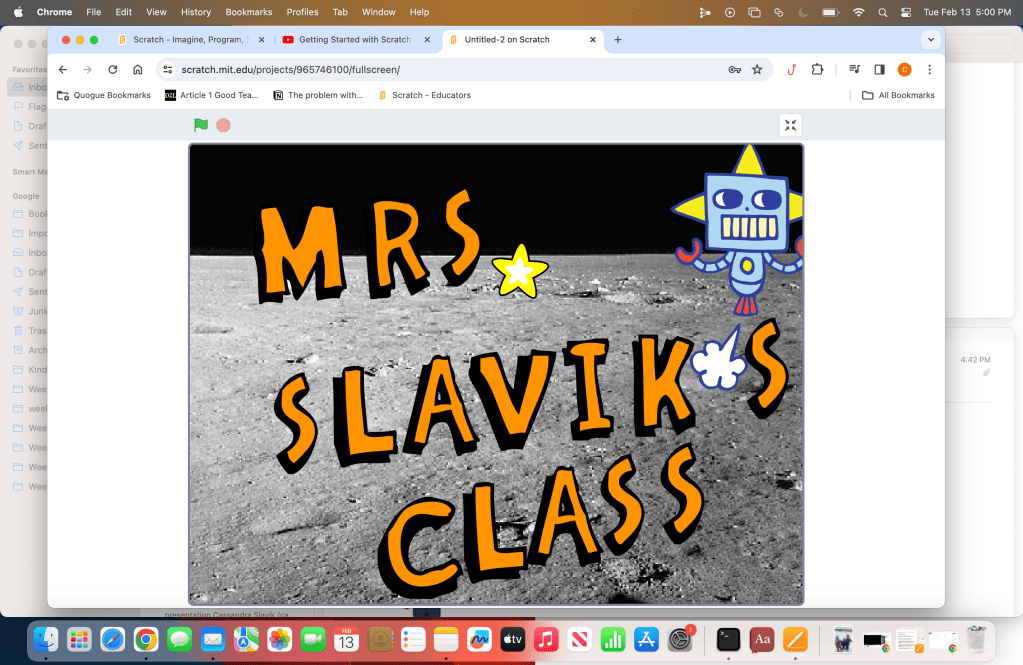
https://scratch.mit.edu/projects/965746100
Above is the link to my saved project for anyone who wants to go in and play around with how it works themselves.
Which brings me to the biggest con of this resource – anyone can access the work you produce. You can share creation with others online but the safe guards are not exactly dependable. You have reviews of people complaining on both ends. You hear “the moderators are too strict” or “the moderators are not strict enough”. As an educator this is not going to work for me in a school atmosphere. If I fully control the use of it and delete access after the initial lesson I could see eliminating most of the risk involved but that is just not realistic.
Scratch might have to go back to the drawing board and create better safeguards before I let my students or children truly interact with the program. I would say this is a great tool for an adult to start there coding exploration or if it is being used one on one and a parent could fully monitor what is on the child’s screen and interactive content.
Looks like I will be starting from scratch again when it comes to finding a trusted source for exploring coding.
Site
URL: https://scratch.mit.edu/educators
@scratchteam
#codingforkids #scratchcoding #bykidsforkids #programming #coding #codinglanguage #compiterlanguage #scratch #codeorg #learntocode
 The Resourceful Librarian
Leave a comment